No-Code Design in CAQ.Net
Packaged software and individual requirements are not mutually exclusive. CAQ.Net can be flexibly adapted to your processes – from field labels and input masks to numerous other settings. The result is a solution that integrates seamlessly into your daily workflows while offering the advantages of a proven software solution.
Configuration Instead of Programming
CAQ.Net provides you with powerful tools for individual configuration. Through the menu-driven configuration, you can make extensive visual and functional adjustments without any programming. Since all settings are made at the database level, the system’s ability to receive updates and new releases remains fully intact.
Tabs
Sort, show/hide, color-code & rename
Toolbar
Add your own functions
Quick Search
Quickly filter records
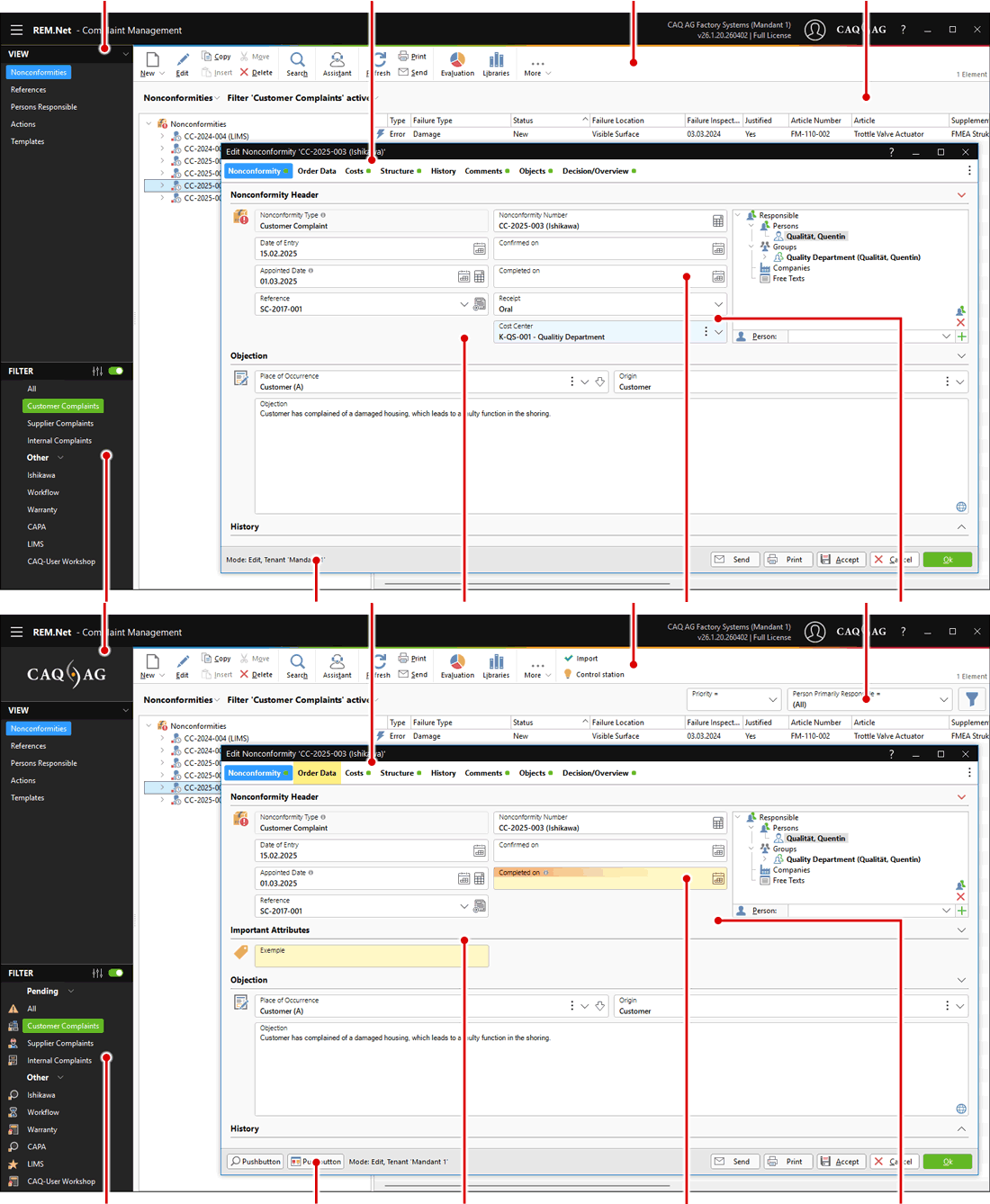
Filters
Group, sort & show icons
Buttons
Define individual buttons
Show attribute fields
Display additional information
Individualize input fields
Label, color & status
Hide input fields
Hide fields you don’t need
Individualize Input Fields
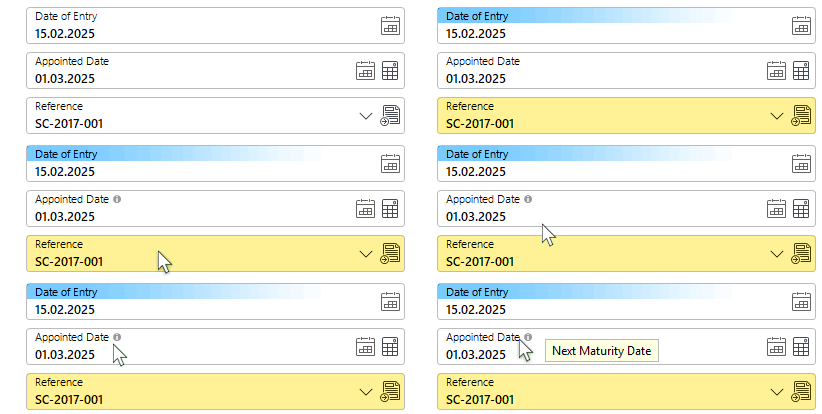
To make work easier for end users, specific fields and tabs can be configured individually, such as:
- Assigning the configuration to a user, group, or client
- Renaming fields
- Color definitions for font and background colors
- Help texts as tooltip text
- Mandatory fields
- Show, hide, or lock fields
- Create Dependencies for Field Input
- SLC (Self Learning Catalogues) within the input field
- Input Patterns – define a “pattern” string
- Input Lengths and Minimum/Maximum Values
- Required Languages for the fields to be translated
Adding Individual Buttons
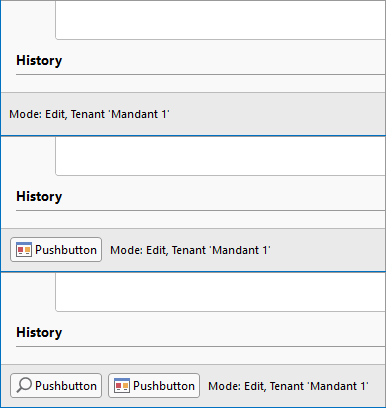
By configuring individual buttons, you have a range of options for accessing functions or information right where you need them:
- Open the knowledge base
- Run an external application
- Open the control panel
- Run a task/action (job)
- Retrieve data from SAP
- Potential analysis
- Open an evaluation
Would you like to get started right away, but aren’t sure how? Click on Individual Configuration to find our screencast tutorial on this topic.
Of course, the configuration options are not limited to forms and dialogue boxes, but extend across the entire CAQ.Net software – from freely configurable interfaces to individually designable email and print templates.